


University of North Carolina Athletics
Carolina Athletics Digital Ticketing Information
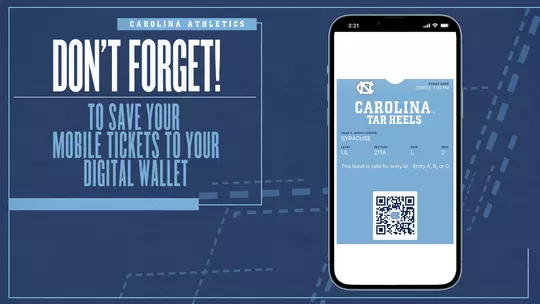
DIGITAL TICKET RESOURCES

How to Manage Your Tickets

How To Transfer Your Tickets

GoHeels Mobile App
Carolina Athletics encourages fans to download the GoHeels Mobile App for added ease of mobile ticketing. The GoHeels Mobile App is available on the App Store or Google Play Store, depending on your device.
Frequently Asked Questions
Why is Carolina transitioning to digital ticketing?
- Real-time changes to event dates and times are immediately reflected with mobile tickets. Guests are now able to manage their inventory entirely from their mobile device with ‘My Account 2.0’ on goheels.com/tickets.
- Moving away from traditional tickets allows Carolina Athletics to extend season ticket payment deadlines closer to the start of each season and eliminate any shipping errors or delays.
- Digital ticketing provides guests a safe and contactless environment with increased protection against fraud as well as reducing the challenges of lost, stolen, counterfeit or forgotten tickets. Guests will be able to access their digital tickets on their smartphone through the digital wallet or through the GoHeels app by logging into their account.
What if I don’t have a smartphone?
- If fans do not have access to a printer or smartphone, they have the ability to transfer tickets to a member of their party to scan tickets at the gate.
How will I receive and access my tickets?
- Tickets purchased through the Carolina Ticket Office will be sent from tickets@uncaa.unc.edu with the subject line “Your Order Has Arrived”. You must click the link found in the body of the email that lists the event(s) you are receiving tickets for. Once you click the link, you will need to download the mobile ticket to your digital wallet (Apple Wallet or Google Pay) or print the print-at-home tickets.
- You may also access and download your tickets via the GoHeels mobile app. Please select the ‘Tickets’ icon followed by ‘Manage My Tickets’. Login using the same credentials as you would at goheels.com and click on the ticket(s) you wish to download. From this same screen you can transfer tickets, return tickets, or sell tickets on Seat Geek.
What happens if I can’t find the email with my tickets?
- Once your tickets are delivered, you can access and manage your inventory at goheels.com/myaccount or through the GoHeels mobile app if you cannot locate the email from tickets@uncaa.unc.edu – no need to wait in a ‘will call’ line anymore!
Can I have multiple tickets on my phone?
- Yes, you are able to scan multiple tickets off the same phone. If your entire party is not present at the time of arrival it is easier to transfer each attendee their individual ticket.
What if my guest(s) arrive at different times?
- Ticket transfers are available until one hour prior to game time.
How do I transfer a ticket?
- Login to your account at goheels.com/myaccount or on the GoHeels mobile app. Click ‘Transfer Tickets’, select the game and ticket(s) you wish to transfer and enter in the mobile number or email address of the individual you are transferring the tickets to. You can also transfer multiple tickets to multiple individuals.
What if my phone dies or I cannot get service on gameday?
- Prior to your arrival we highly recommend downloading your tickets to the Apple Wallet (iPhone) or Google Pay (Android). Once the tickets are downloaded, you do not need Wi-Fi or connectivity to access your tickets. If you do not download or print your tickets in advance, please visit the on-site box office for assistance with a valid photo ID that matches the name associated with the account and they will be able to re-send you a mobile ticket.
What if I still want a physical ticket for my collection?
- Carolina Athletics is exploring the option of having souvenir tickets after the event has passed. Stay tuned for more information!
Who should I contact if I have additional questions?
- Please contact the UNC Ticket Office during normal business hours, 8:30am – 4:30pm, Monday through Friday at 800-722-4335 or via email at tickets@unc.edu.